


The Guardian - US & World News
4.620.84K Reviews
App Specs
- Version
- Varies with Device
- Updated On
- License
- Free
- Downloads
- 5,000,000+
- Developer
- Guardian News & Media Ltd
- Categories
- News & Magazines
- Platform
- Android, iOS
Screenshots

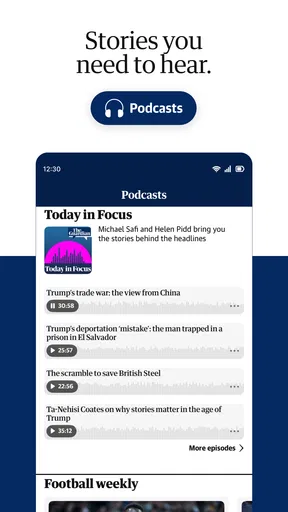
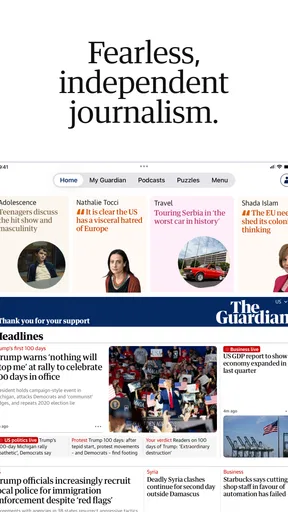

 Analysis by AppCompare
I like a news app best when it helps me understand what is happening, not just collect headlines, and that is where The Guardian - US & World News makes its strongest case. It brings reporting, opinion, sport, podcasts and puzzles together, with a distinctly international outlook. I would recommend it to readers who want more than a quick scan of breaking stories, though it works best when you are willing to choose what deserves your attention rather than letting every alert set the agenda.
Your News, Your Way
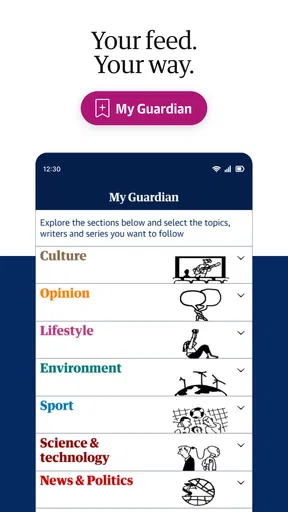
First off, the personalization options are pretty nifty. Whether you're into politics, sports, lifestyle, or tech, you can tailor your news feed to suit your preferences. I found this feature super helpful because, let's be honest, who has the time to sift through everything these days? Just set your preferences, and voila – a curated list of articles that matter to you.
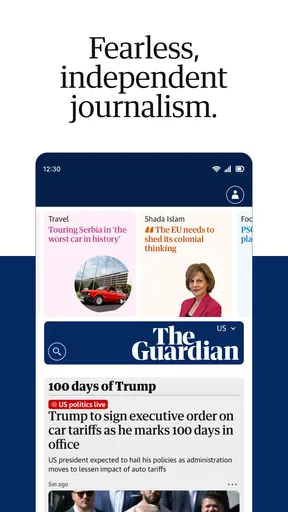
The app interface is sleek and intuitive. Navigating through different sections is a breeze, and the design is easy on the eyes. No unnecessary clutter, just straight-up news with a clean layout. It’s like they knew exactly what I needed to stay informed without being overwhelmed.
Dive Deeper with In-Depth Reporting
One of the standout features of The Guardian - US & World News is its commitment to in-depth reporting. The investigative pieces are well-researched and provide a comprehensive look at various issues. I spent quite a bit of time exploring articles that covered everything from climate change to political unrest – all with a critical eye and a depth that’s hard to find elsewhere.
And let’s not forget the opinion pieces. They offer diverse perspectives, which I find refreshing. Whether I agree with them or not, it’s always interesting to see different viewpoints and maybe even challenge my own thinking. Plus, having access to global news right alongside US-focused stories gives a well-rounded perspective of what's happening worldwide.
Making a Useful Daily Reading Routine
The personalization is most valuable when I treat it as a starting point, not a filter that decides the whole day for me. I’d keep a few broad interests in the mix and still visit the main news sections regularly. That way, a tailored feed can save time without quietly narrowing my view to familiar subjects. It is a practical distinction: personalization helps with relevance, but a news reader still needs to make room for stories they did not already know to look for.
A realistic routine might be to check the app over breakfast, read one major report rather than skimming a long string of alerts, then return later for a sport result or a developing international story. The Guardian’s mix of reporting and opinion can make that second visit more rewarding than simply refreshing a headline feed. I would also separate the roles of the different formats: use articles when I want detail, and save podcasts or puzzles for moments when reading is inconvenient or I want a change of pace.
Worth Reading Before You Choose

Baby Panda World Brings Quick Play to Modern Phones, but Its Game Library Feels Busy

ESPN’s Live Game View Makes Following Close Games Easier

QuizzLand Review: A Good Fit for Short Trivia Breaks, Not Every Player

Basketball Stars: Multiplayer Is Fast, but Can It Recover When Matches Go Wrong?

WEBTOON Turns Phone Updates Into a Better Reading Routine

Link to Windows Runs on Shared Habits, Not Social Feeds
That mix is a strength, but it also means the app is not necessarily the quickest route to a single fact. If I only want to know whether a local service is delayed or get a bare-bones summary of a developing event, a focused utility or a concise breaking-news source may be faster. I come here when context matters, not because every news check needs to become a reading session.
Stay Updated with Notifications
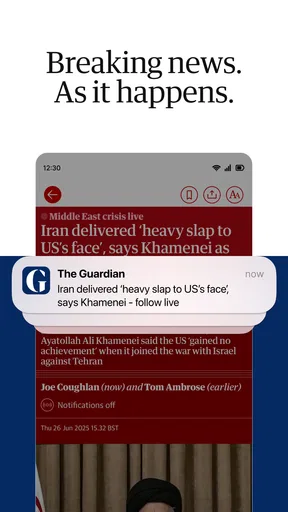
Okay, here’s a feature I didn’t think I’d love as much as I do: the notification system. You can choose to receive alerts for breaking news or updates on specific topics. I personally enjoy getting a little buzz on my phone whenever there’s something big happening. It keeps me in the loop without having to constantly check the app.
That said, if notifications aren’t your thing, you can easily adjust the settings to keep them to a minimum. It’s all about giving you control over how you consume your news.
Keep Alerts Informative, Not Intrusive
My practical advice is to be selective at setup and reconsider the choices after using the app for a while. A notification is useful when it tells me something I genuinely want to know promptly; it becomes noise when it interrupts a task for a story I would have read later anyway. Keeping alerts narrow lets the app serve as a signal for important developments instead of turning every spare moment into another news check.
There is a trade-off here that matters for anyone trying to stay calm around constant coverage. Breaking-news alerts can provide timely awareness, but they rarely provide the full explanation in the notification itself. I treat them as a prompt to open a story when I have time, rather than as a complete account of what happened. Readers who prefer a quiet phone can still use the app as a deliberate destination and leave alerts at a minimum.
Offline Reading for On-the-Go
Another feature that deserves a shoutout is offline reading. Whether you’re on a plane or somewhere with spotty Wi-Fi, you can download articles to read later. I’ve found this particularly handy during my commute or when I’m traveling.
And let’s be real, who doesn’t appreciate the ability to catch up on news without having to worry about gobbling up data? It’s a small feature, but it makes a huge difference if you’re constantly on the move.
Plan Ahead for Reading Away from Wi-Fi
Offline access is most helpful when I prepare before leaving a reliable connection. I would pick a few longer pieces I actually intend to finish, rather than trying to save everything that looks interesting. That turns a commute or flight into a purposeful reading window and avoids the frustration of opening a story only to discover I should have prepared it earlier. It also makes a useful distinction between having a phone signal and having something worth reading: a saved article can make a dead zone feel productive without relying on a live feed.
For people who mainly consume news through short alerts, this option may not change much. Its value rises for readers who follow investigations or want to sit with a piece for more than a minute. I would still think of offline reading as a way to carry selected stories, not as a promise that every part of the app will be available without a connection.
How It Fits Among News Apps
Compared with a general-purpose news aggregator, this app feels more like choosing one newsroom’s coverage and editorial voice as a regular reading habit. That can be an advantage if you value sustained reporting and a recognizable point of view; an aggregator may be better when your priority is to compare many publishers quickly in one place. The Guardian’s combination of US and international coverage is particularly useful when a domestic story has wider consequences, or when global events would otherwise be easy to miss in a locally focused feed.
It is also different from a wire-style briefing built mainly around short, neutral summaries. Here, there is space for analysis and opinion alongside reported pieces. I see that as a reason to read critically, not a reason to dismiss the coverage: distinguish reporting from commentary, and use contrasting viewpoints when a subject is contested. If you want only a compact list of headlines with minimal interpretation, another format may suit you better.
The app is free to download, with in-app purchases listed from $0.99 to $144.99 per item. That makes it possible to try the basic reading experience before deciding whether any paid option is worthwhile for your habits. I would check the purchase details in the app rather than assume that every feature or article follows the same access arrangement. The publisher is Guardian News & Media Ltd, and the app has an average rating of 4.6 from around 405,000 ratings, with more than 5 million installs. It is rated Everyone 10+, a sensible detail for families deciding whether it is appropriate for younger readers, since news coverage can include serious real-world subjects.
Who Will Get the Most from It
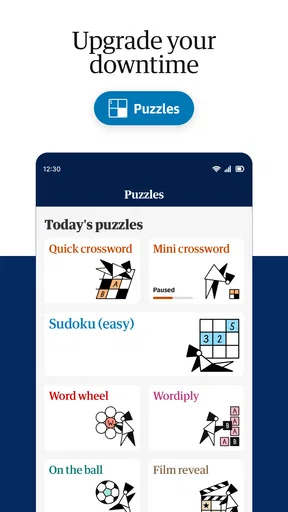
I think this is a strong fit for curious readers who want reporting with room for context, people who follow both American and international affairs, and anyone who likes to balance articles with audio or lighter puzzle content. It can also suit a reader who wants one familiar place to return to throughout the day instead of bouncing between a collection of headlines and separate publisher apps.
I would steer away from it if your ideal news experience is entirely local, almost entirely headline-based, or free of commentary. Likewise, if you find frequent coverage stressful, an app centered on current events may not be a healthy default destination; reducing alerts and choosing set reading times can help, but it will not change the subject matter. Someone who mainly wants a quick update on a narrow topic may be better served by a dedicated source for that subject.
Wrapping It Up
All in all, The Guardian - US & World News app is a solid choice for anyone looking to stay informed with quality journalism. It’s user-friendly, packed with features, and offers a wide range of content to explore. Whether you're a news junkie or just someone who likes to keep up with the world, this app has got you covered.
If you haven’t tried it yet, it’s definitely worth a download. And hey, who doesn’t want to feel a little bit smarter by having the world’s news at their fingertips?
My Verdict
My recommendation comes with one condition: use it actively rather than letting it use your attention for you. Choose a manageable set of interests, keep notifications intentional, and take advantage of saved reading when you know you will be offline. Those small choices make the app feel less like an endless stream and more like a dependable reading companion.
The Guardian is not the right answer for every news habit, and its mix of analysis and opinion will not appeal to readers who want only short, strictly utilitarian updates. But for someone who values substantial journalism, wants a global view alongside US stories, and is happy to read with a critical eye, I think it earns a place on the phone. I would start with the free download, explore the sections that genuinely matter to me, and decide from actual use whether any optional purchase fits my routine.
Pros
- Comprehensive news coverage worldwide.
- User-friendly interface for easy navigation.
- Customizable alerts for breaking news.
- Access to podcasts and opinion pieces.
- Regular updates with the latest headlines.
Cons
- Contains ads in the free version.
- Limited offline reading capabilities.
- Subscription required for premium features.
- App can occasionally be slow to load.
- Push notifications can be overwhelming.
FAQs for The Guardian - US & World News
What features does The Guardian app offer?
The Guardian app provides a wide array of features, including breaking news alerts, comprehensive news coverage from the US and around the world, and a variety of sections such as sports, opinion, and lifestyle. Users can also personalize their news feed, save articles for offline reading, and listen to podcasts directly within the app.
Is The Guardian app free to use?
Yes, The Guardian app is free to download and use. However, it offers optional in-app purchases and subscription plans that provide an ad-free experience and additional features like access to premium content and exclusive articles. These options help support the journalism work of The Guardian.
How often is the content updated in the app?
The Guardian app updates content continuously throughout the day to ensure users have access to the latest news and developments. With real-time reporting, you can stay informed with the most current information across various topics, including politics, culture, and global events.
Can I customize my news feed in The Guardian app?
Yes, The Guardian app allows users to customize their news feed to suit their interests. You can select specific topics, writers, or sections you want to follow closely. This personalization ensures that you receive news and articles that are most relevant to your preferences.
Is The Guardian app available for both Android and iOS devices?
The Guardian app is available for both Android and iOS devices, ensuring a seamless experience across different platforms. You can download it from the Google Play Store for Android devices and the Apple App Store for iOS devices, allowing you to access news on the go.


